I have been wrestling all day with an Access query with a ton of parameters that causes a crash when run via VBA, but works fine when run manually, which no one would ever do.
Apple’s “Embracing Algorithms” presentation from WWDC 2018 inspired me to try to write some algorithms for my side projects. I have re-discovered just how hard it can be to write memory-constrained algorithms. Modern processor speed and memory limits have spoiled me.
I’m wondering, as one of my domain names is set to auto-renew, whether domain names increase or decrease in cost over time. I used to register my domain names for ten year periods, to lock in the price, but now I’m not so sure if it is worth it. Prices seem pretty consistent now.
My work goal for the week is to build a system to automate lots of grunt work I will otherwise have to do manually every week this summer. Fun stuff.
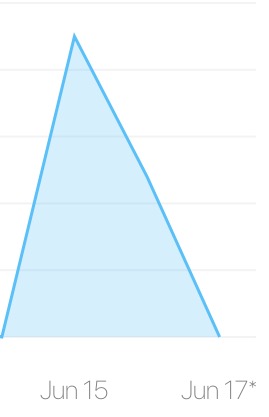
My app sales went way up this weekend, and I have no idea why. 🤷♂️
Happy Father’s Day to all the dads out there. 😀
Today is a good day for me to catch up on WWDC videos while I build databases for my real job.
Apple gave me a free, full replacement for my 11-month-old iPad Pro with backlight bleed on one edge. The whole thing took about ten minutes, with no fuss whatsoever. I can’t ask for better service than that.
Learning the Core Data Framework
Lately I have taken it upon myself to finally teach myself Core Data. I had avoided it for years, due to its complexity and because it was too much for my projects. I decided to learn it to challenge myself and to level up a bit as an iOS developer.
Learning it reminds me of learning Objective C and Cocoa years ago. Core Data presents itself as a daunting hierarchy of NS-prefixed classes, with lots of layers and moving parts, but it (kind of) makes sense after a long period of study. It’s starting to make sense to me now, though I have barely scratched the surface of its functionality.
I’ve been writing and rewriting and never finishing the same sample app for the past week. Of course, I made it difficult for myself by requiring it to have an App Group, and for the Core Data stack to be defined in its own Framework. I figured out how to do so a couple days ago, and then, this morning, stumbled on the exact same process recommended in Apple’s WWDC 2018 Core Data Best Practices video . At least I know I got part of my Core Data stack set up the right way!
Apple hardware woes
As much as I love Apple hardware, I’ve got a bunch of Apple hardware problems all of the sudden:
- AirPod battery life has dropped to less than an hour for phone calls. My AirPods are about 18 months old.
- Bad backlight bleed developed on the bottom edge of my iPad Pro. Dark backgrounds obscure it, but light backgrounds don’t. I will see tomorrow if they will fix it under warranty. My iPad Pro is 11 months old.
- A bright spot developed in the bottom right corner of my iPhone 7 Plus. You can only see it when that section of the screen is displaying white. I’ll ask about it at the Genius Bar tomorrow. My iPhone is almost 20 months old. Luckily, it’s still covered by AppleCare+.
- My 2013 MacBook Pro started dropping my USB trackball upon or after going to sleep. I have to unplug and replug it to make it work again. Research has shown me that this sort of thing is one of those unknown bugs. I hope it doesn’t mean my logic board is going.
These are all minor quibbles, but they are all about rather expensive hardware. I think I’m going to start buying AppleCare+ from now on.
A Hardware Keyboard Shortcuts Tip for Drafts 5
Drafts 5 is a great app for capturing thoughts, drafting notes, and capturing tasks, and quickly sending them, via Actions, to other apps or services for further processing. The typical workflow is:
- Launch Drafts
- Type a draft
- Launch an Action to process the draft
Custom hardware keyboard shortcuts
Drafts 5 lets you assign custom hardware keyboard shortcuts to any Action. This is an extremely rare, and extremely powerful, feature. You can configure hardware keyboard shortcuts for text formatting commands and to insert text snippets (such as today's date) into your draft. You can also define a set of hardware keyboard shortcuts to use to complete your drafts.I use Drafts 5 throughout the day to write microblog posts, notes, and tasks and send them to where they need to go: Dropbox, Ulysses, my to-do app SwiftoDo, and so on. For all my most-used Actions that process drafts, I use an easy-to-mash but hard to accidentally type accelerator, Control+Option+Command, plus one letter, when I complete my draft and want to send it on its way.
I use the Control+Option+Command accelerator only for Actions that complete drafts, so it’s always clear to me when I type it that I am ending my draft and sending it somewhere else.
Here is my list of hardware keyboard shortcuts, each of which I find incredibly useful:
Control+Option+Command+D: save draft to a Dropbox folderControl+Option+Command+U: save draft to a Ulysses Inbox folderControl+Option+Command+T: send tasks in draft to my todo.txt file via SwiftoDoControl+Option+Command+M: post draft directly to Micro.blogControl+Option+Command+G: search for draft text in GoogleControl+Option+Command+A: search for draft text in App Store
Command while editing your draft, and all the custom shortcuts you defined will appear in the standard iOS hardware keyboard shortcut pop-up display.
These hardware keyboard shortcuts don’t necessarily save me a lot of time and trouble, but they make my Drafts workflow on iOS feel fast and comfortable. I highly recommend setting some up for your own iPad Drafts workflow.
I’m not sure what to make of anything in the news these days. I’m going to pay attention to something that makes sense—like “Westworld”—for the next hour or so.
I’ve been sick in bed with a cold most of the day, which has scuttled my family’s weekend plans. Why can’t I ever get sick on a weekday?
Today was a great day. My daughter had a school concert that we all attended, my work day was light (meetings were canceled, even) and later on we all went out for a great fish dinner.
I finally figured out how to point micro.mjdescy.me to mjdescy.micro.blog. I didn’t realize that I had to set the CNAME record using my web hosting provider’s cPanel rather than through my domain registrar.
What would make me upgrade my Series 1 Apple Watch
I love the Apple Watch. I didn’t always, though. When I first tried on a Series 0, a couple weeks before it was released, I quickly made the decision not to buy one. I thought it was too expensive and that it was not immersive enough. I had been expecting an iPhone for the wrist; what it was instead was a wristwatch with some extras. Six months later, however, I relented and bought one, mostly because Target was offering the Space Gray Sport model at a deep discount, and I wanted to pick a holiday gift for myself that my family members could chip in for.
I quickly grew to love the Apple Watch, despite its slow speed and lack of viable third-party applications. The first-party Apple Watch applications alone—such as Messages, Workouts, and Weather—pleased me very much. Caller ID on my watch was great for avoiding telemarketing calls at dinner. Something as simple as having the temperature always available on my watch face far more useful than I had anticipated.
I have a Series 1 now because my Series 0’s screen popped off due to battery swelling after almost two years. Apple covered it under an extended warranty and sent me a Series 1 for free. The Series 1 is much faster than the Series 0, and is not going to be obsoleted by Watch OS 5 in the fall. Still, it isn’t as fast, and consequently as useful, as the Series 3. I fully expect a new Apple Watch model to be released later this year, which will be even faster.
If I still had the Series 0, I had planned to upgrade this year, for increased performance alone. Now that I have the Series 1, I am not so sure. My Series 1 has great battery life, but is starting to show performance problems. Workouts, for example, take a long time to start. Third party apps are still, largely, useless for me, for the same reason. Despite these problems, most of the features of the Apple Watch are still working just fine for me.
The main feature that would tempt me to upgrade, at this point, would be new or better health monitoring features. The idea that the watch could save my life, by monitoring for irregular heartbeats, is very compelling to me. I would welcome and pay for any additional features in that area. If they are confined to newer hardware, I would definitely upgrade to get them. I care more about that sort of thing than I do about increased speed, cellular or GPS connectivity, or (if the rumors are true) a larger display area.
Edit for iOS
Edit for iOS is the second ultra-simple text editor for iOS—that I have noticed—that has been released this year. I was working on something like this last summer, but for TaskPaper, but abandoned it due to running into some snags, and needing to tend to SwiftoDo again. I think that the iOS share extension, and the increasing complexity of Drafts, has opened a little niche for iOS scratchpad text editors once again. Maybe I will dust of my little project sometime.
I wrote a semantic version number struct in Swift 4.1 that someone might find useful.
It looks like my career path is taking a slight turn once again. Hopefully that means good things are ahead of me.
MacBook Pro 2013 Forever?
Reviewing macOS 10.14 Mojave System Requirements makes me think I may only have one year of useful life left on my 2013 MacBook Pro. (Mid 2012 MacBook Pros are the oldest supported.)
If that’s true, it will be disappointing to me, because my laptop still feels fast and has plenty of computing resources. As a developer, I need to keep abreast of the current OS changes though, so I will have to upgrade when OS support is dropped.
I thought I understood the delegate pattern many years ago, but I keep finding more and more uses for it. If only it applied to real life.
The transformational Siri enhancements developers and pundits were hungry for were not announced at WWDC today. Apple is doomed! (OK, maybe not.)
If Microsoft wanted to scare everybody in the developer community, they would buy Stack Exchange too.
Microsoft bought GitHub just in time for WWDC to bury the news. I get the feeling that whatever led to GitHub’s success will soon be lost, but that it won’t matter to its profitability, and the vast majority of projects hosted there will stay. It just will never be the next GitHub.
I love this article about iOS app architecture:
Cocoa Touch is (I suspect) deliberately very simple: there’s Target-Action pattern, Dependency Injection, Delegate and MVC. That’s about it, really. Apparently it’s way too simple for some.
I am working on one or two practice projects right now, and can’t think of a better way to code them than MVC with Coordinators.